
01
A shared place for the evidence.
Search the document library and open files from the customer, job, project, or transaction they support. Classification, extracted text, and record links make a document useful after the initial entry.
Bills, checks, contracts, statements, and customer uploads arrive with work inside them. Zeno reads the document, helps identify what it relates to, and prepares the next step while keeping the original close at hand.
Upload a file or bring it in through a connected source.
Extract information and identify the relevant workflow.
Check the proposed details against the original.
Keep the source linked to the resulting work.
Search the document library and open files from the customer, job, project, or transaction they support. Classification, extracted text, and record links make a document useful after the initial entry.
Extraction helps prepare the details, identify possible matches, and surface uncertainty. Review the source beside the suggestion before confirming document-derived financial entries.
A vendor bill, a client return, and a job photo have different destinations. Shared document handling connects to the relevant module so your team can act on the information where the work happens.
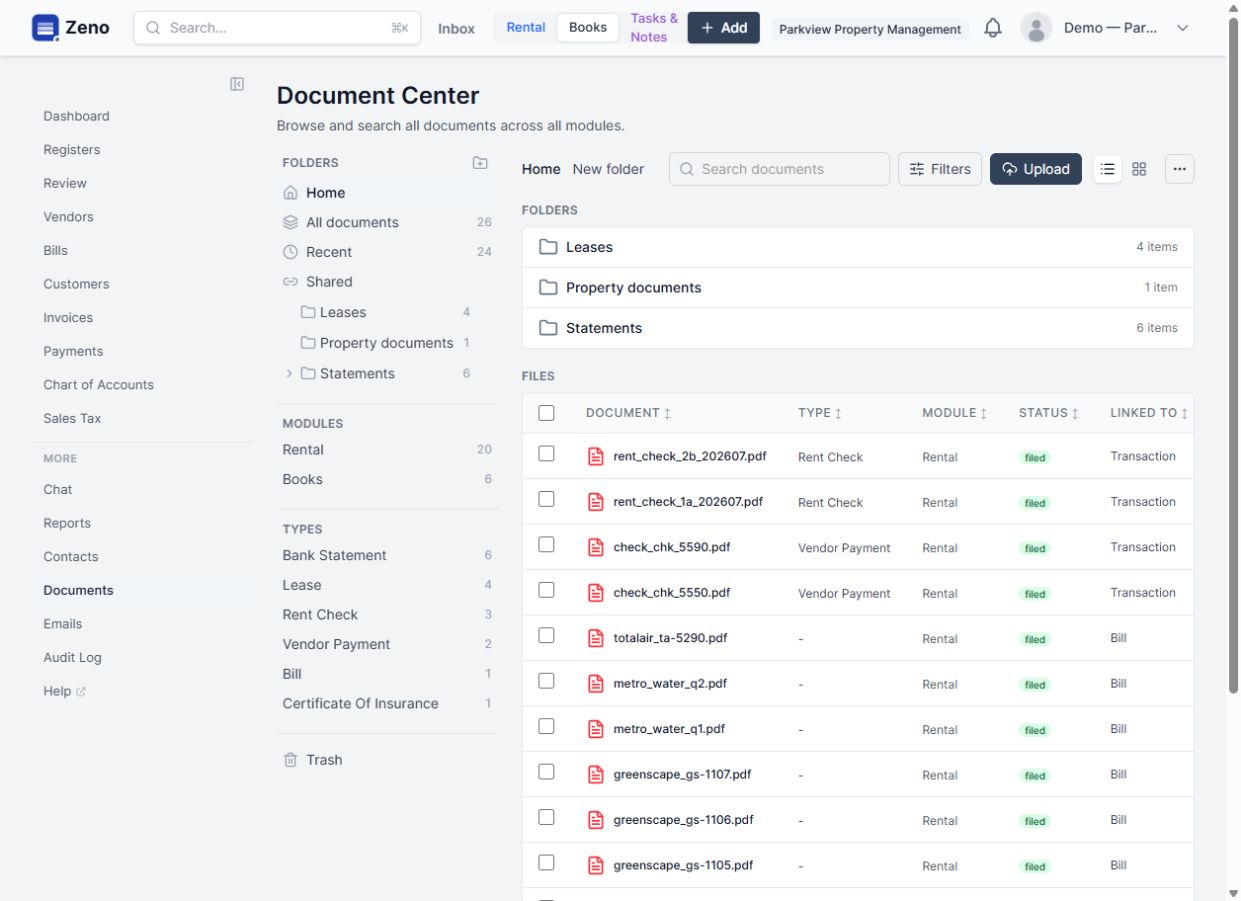
Read the bill, resolve the vendor and project, review the proposed entry, and retain the source with the result. The project team and the people handling payment can work from the same evidence.
Illustrative workflow. We scope the modules, connections, and business rules for your implementation.
Explore the product documentationConnected tasks, recurring work, assignments, and business-specific stages.
Bank statement and payment settlement reconciliation with evidence and reviewable differences.
Connect your preferred compatible AI through MCP to work with Zeno records, workflows, and business knowledge.
Bring a real workflow, the tools you use, and the parts that take too much effort. We’ll work through what a connected system could do for your team.