
01
Use the statement as a check on the records.
Extract the statement period, balance, and lines, then compare them with the register. The original PDF stays available so the reviewer can inspect the evidence behind the comparison.
Zeno compares financial activity with independent evidence, including the bank’s own statement. Matching activity can be cleared while missing records, possible duplicates, and other differences remain visible for review.
Retrieve or upload the original statement.
Match statement activity against the register.
Separate genuine gaps from ambiguity and duplicates.
Review corrections and retain the evidence.
Extract the statement period, balance, and lines, then compare them with the register. The original PDF stays available so the reviewer can inspect the evidence behind the comparison.
Supported payment settlement integrations can relate a bank deposit to its component sales, fees, and adjustments. That makes a lump-sum payout easier to understand and reconcile.
Through MCP, an AI can help examine the statement, compare the records, and prepare actionable differences. Financial review workflows and the audit history remain part of the process.
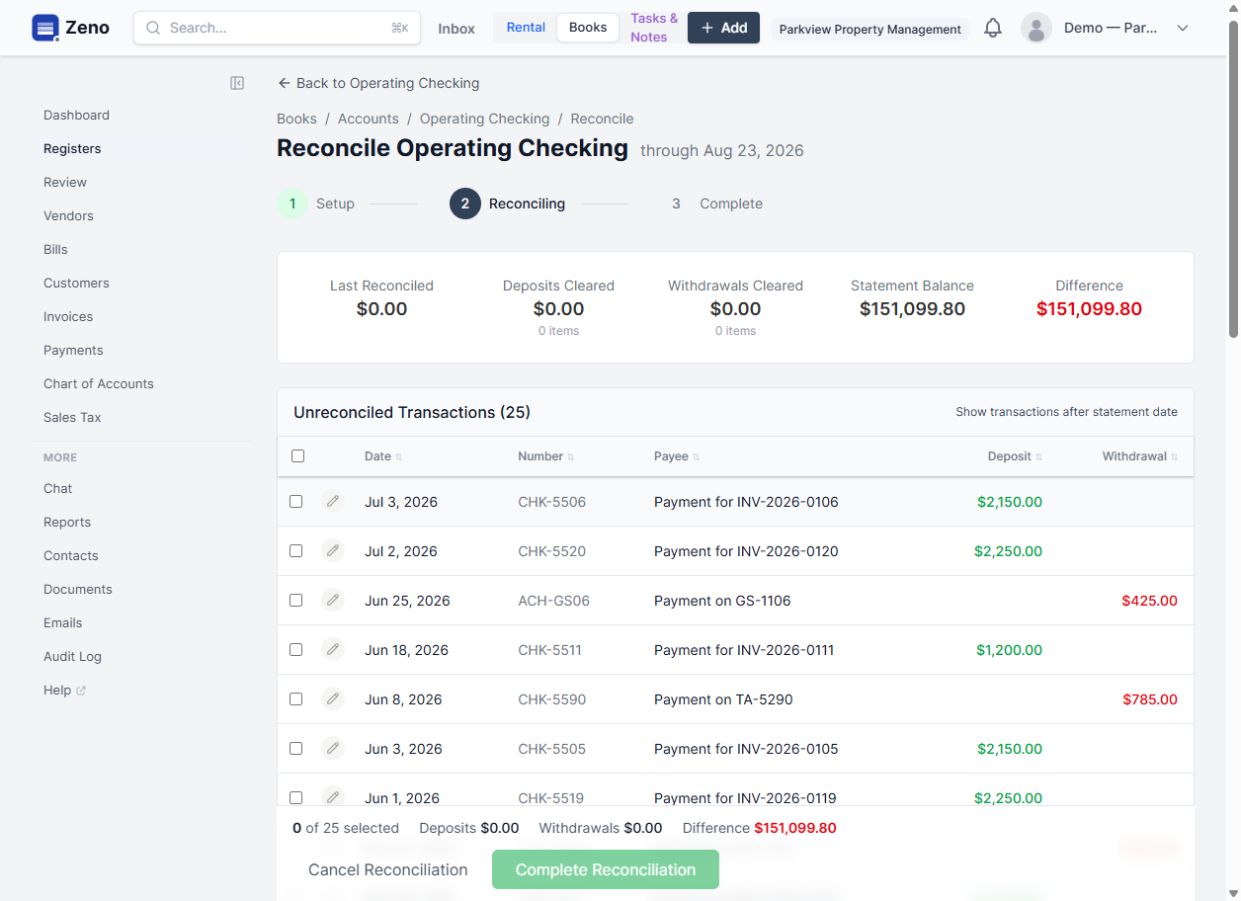
The comparison identifies the gap. The reviewer can inspect the original statement, distinguish a missing transaction from a matching problem, and prepare the appropriate correction through the existing review workflow.
Illustrative workflow. We scope the modules, connections, and business rules for your implementation.
Explore the product documentationDouble-entry accounting connected to customers, projects, jobs, documents, and payments.
Collect, read, review, and file documents alongside the records they support.
Connect your preferred compatible AI through MCP to work with Zeno records, workflows, and business knowledge.
Bring a real workflow, the tools you use, and the parts that take too much effort. We’ll work through what a connected system could do for your team.